
Learn by watching rather than reading? Jump to our how-to video.
The manager in your school group can now allocate customised access rights, to suit each users’ personal requirements.
Managers can also give Manager access to other group members by following the steps below. Simply tick their row in the Manager column to grant access.
A group manager will need to follow the steps below to assign access:
- Login to your account
- Click the ‘My account’ icon
- Select ‘Group settings’ from the blue menu bar to open the 'Users & Access' page
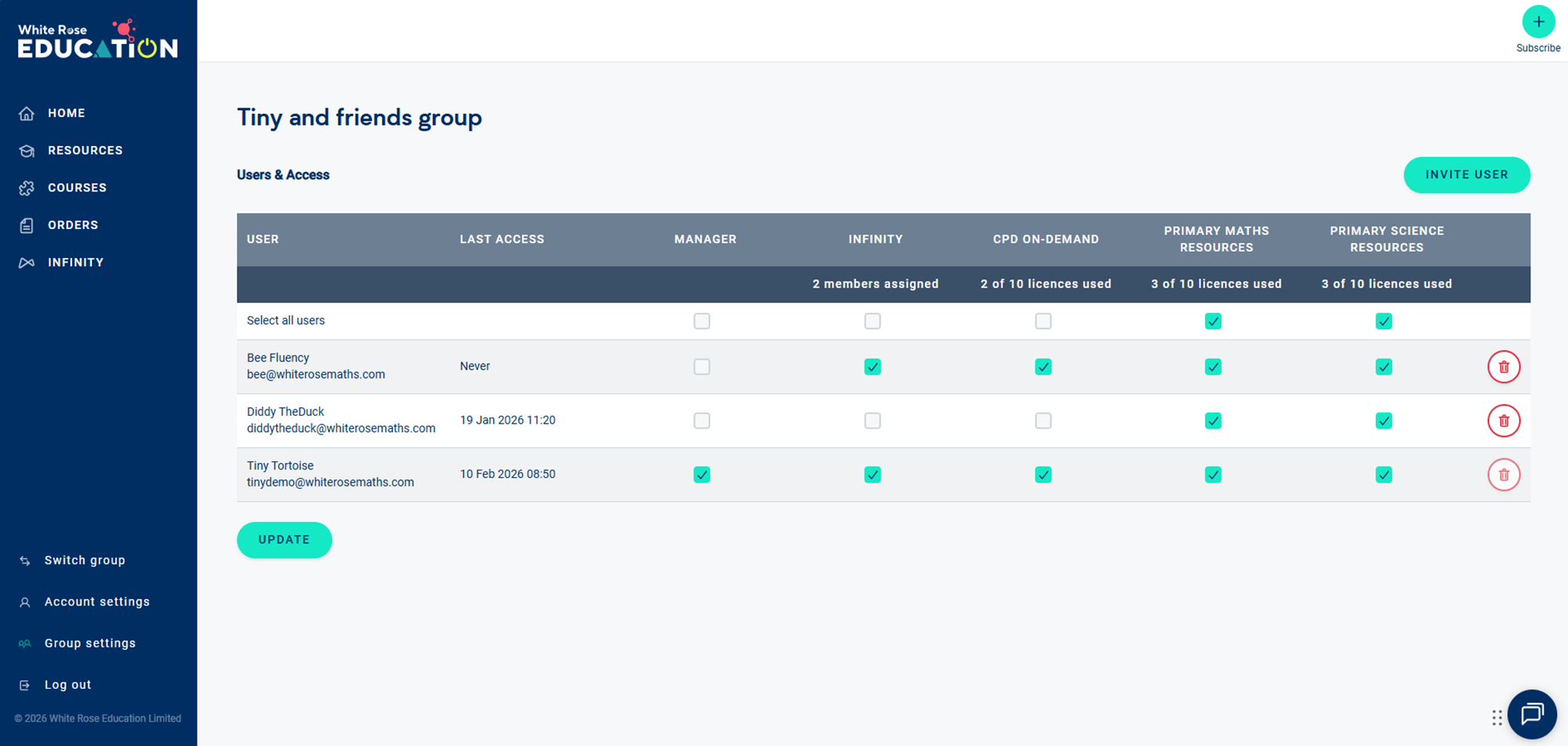
- Identify the person whose subscription access you want to change from the ‘User' column and tick each subscription they require access to. Untick any subscriptions that the member doesn't require access to.
- Click 'UPDATE' to save the changes you have made
If you are a member of a group and can not access subscription resources that you require, please speak to your group manager to check your assignment.